TikTok Unfollow extension: filters, whitelists, and a careful cleanup
Explore Moor’s TikTok Unfollow Chrome extension, including account filters, whitelist protection, batch controls, and a deliberate cleanup workflow.
TikTok Unfollow at a glance
Use it to: review a TikTok following list.
- Input
- Chrome extension and a TikTok session
- Output
- Filtered account cleanup
Review permissions, protect your keep list, and start with a small batch.
Jump to the steps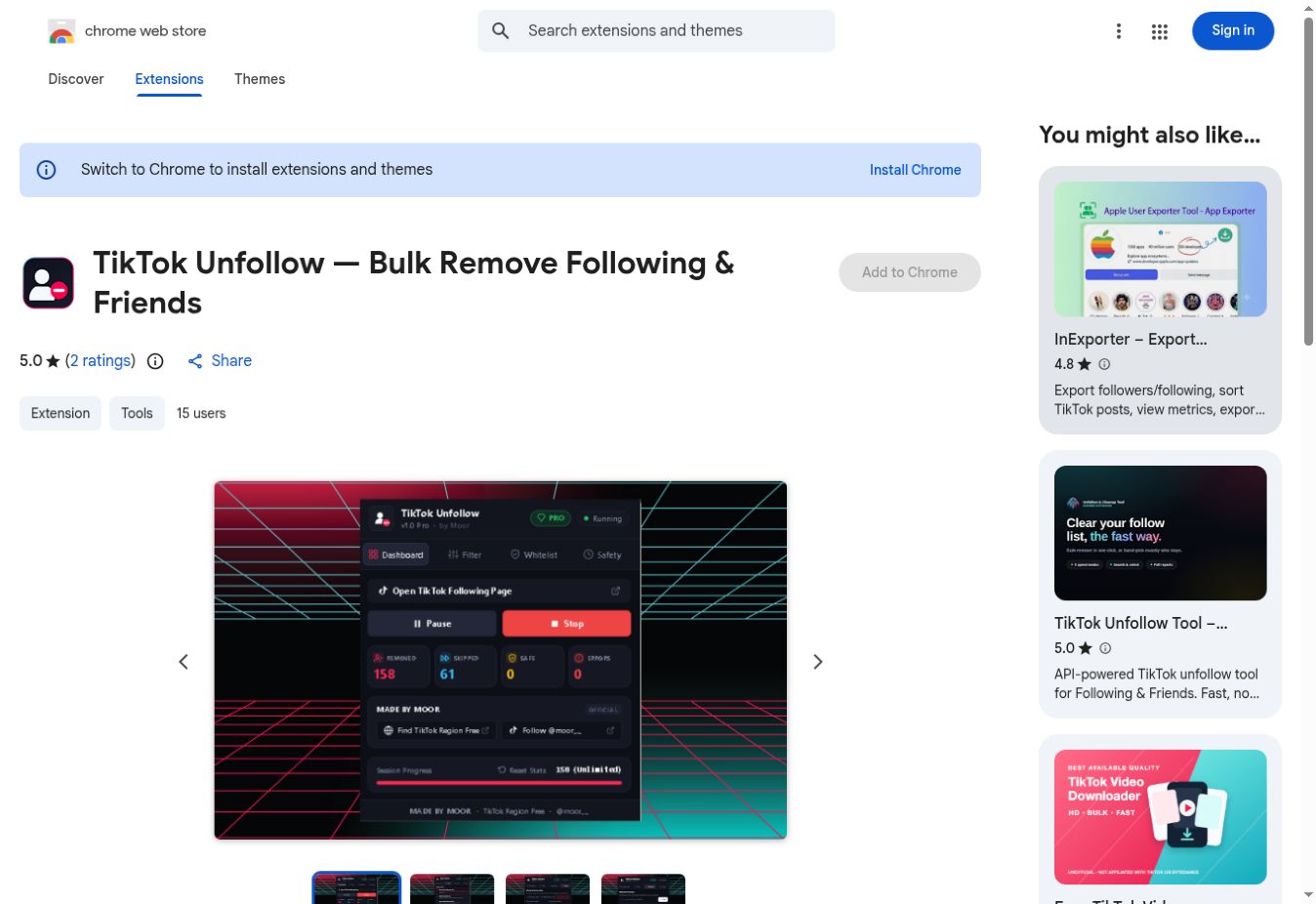
What does TikTok Unfollow do?
TikTok Unfollow — Bulk Remove Following & Friends is a Chrome extension offered by Moor. Its store listing describes filters for all followed accounts, non-followers, or mutual friends, plus a whitelist and adjustable delays and batch limits. It also describes progress counters and automatic scrolling.
The practical goal is a more intentional following list. Before starting any bulk action, decide which relationships you want to preserve. A tool can perform repeated actions, but it cannot decide which creators, collaborators, or friends matter to you.
A careful setup workflow
- Review the current listing. Check compatibility, permissions, privacy information, and any purchase requirements before installing.
- Confirm your account. Open TikTok in your browser and make sure you are using the intended profile.
- Prepare your keep list. Identify important creators and friends before choosing a removal filter.
- Review the controls. The listing describes a whitelist, delays, and batch stopping limits. Set them deliberately before starting.
- Begin with a small group. Check the outcome before considering a larger cleanup. Pause if the result differs from your intention.
Choose the right filter for your goal
The broadest option is not automatically the most useful. If your aim is to reduce accounts you no longer watch, first review your interests and the accounts themselves. Whether someone follows you back is a different question from whether you enjoy their work.
A non-followers filter may suit someone specifically reviewing reciprocal connections, while a mutual-friends filter affects a different group. Read the active selection carefully. Similar-sounding labels can produce very different outcomes, especially when an action repeats across a list.
Keep a short personal record of accounts you definitely want to retain. A whitelist is helpful, but you should still verify it before running a batch. Pay particular attention to punctuation in handles so that similarly named accounts are not confused.
After a small cleanup, revisit the following list and inspect the result. Do not assume that a progress counter alone captures everything you care about. Give yourself a clear stopping point and review whether the change actually improved the list.
Limits and troubleshooting
Delay controls and batch limits do not guarantee that a platform will permit automation or prevent account restrictions. Avoid interpreting a speed label as a promise. If TikTok displays a warning or stops accepting actions, stop the cleanup rather than trying to work around it.
If the extension does not behave as expected, confirm the selected account and page, then consult the current store support information. This article reviews the published workflow; it does not claim that an automated unfollow session was tested on a live account.
The listing indicates in-app purchases. Check current pricing and which features are included before deciding whether it fits your needs. Ratings, availability, and version information can change, so use the live listing for those details.
Frequently asked questions
Does it remove followers from my account?
Do not confuse your following list with people who follow you. The listing describes unfollowing accounts you follow; that is the workflow covered here.
Can I protect selected accounts?
The listing describes a whitelist for accounts you want to keep. Review it before starting and verify the outcome on a small batch.
Is this the same as Tikip?
No. Tikip is a profile research tool; this extension is for managing following relationships. Choose the tool that matches your actual task.
Try TikTok Unfollow for your next task.
Open TikTok Unfollow ↗Product details and screenshot checked against TikTok Unfollow’s official page on September 22, 2026. This guide is part of Moor’s own tool collection, not an independent ranking or a performance benchmark. The 2027 edition is a planning collection; features may change.