X (Twitter) video downloader: a practical XTSave guide
Learn how to download public X videos with XTSave, find your MP4 files, check quality, and organize a useful video archive.

XTSave at a glance
Use it to: save a public X video.
- Input
- Public X post URL
- Output
- MP4 video
Public posts only; keep the original source link.
Jump to the steps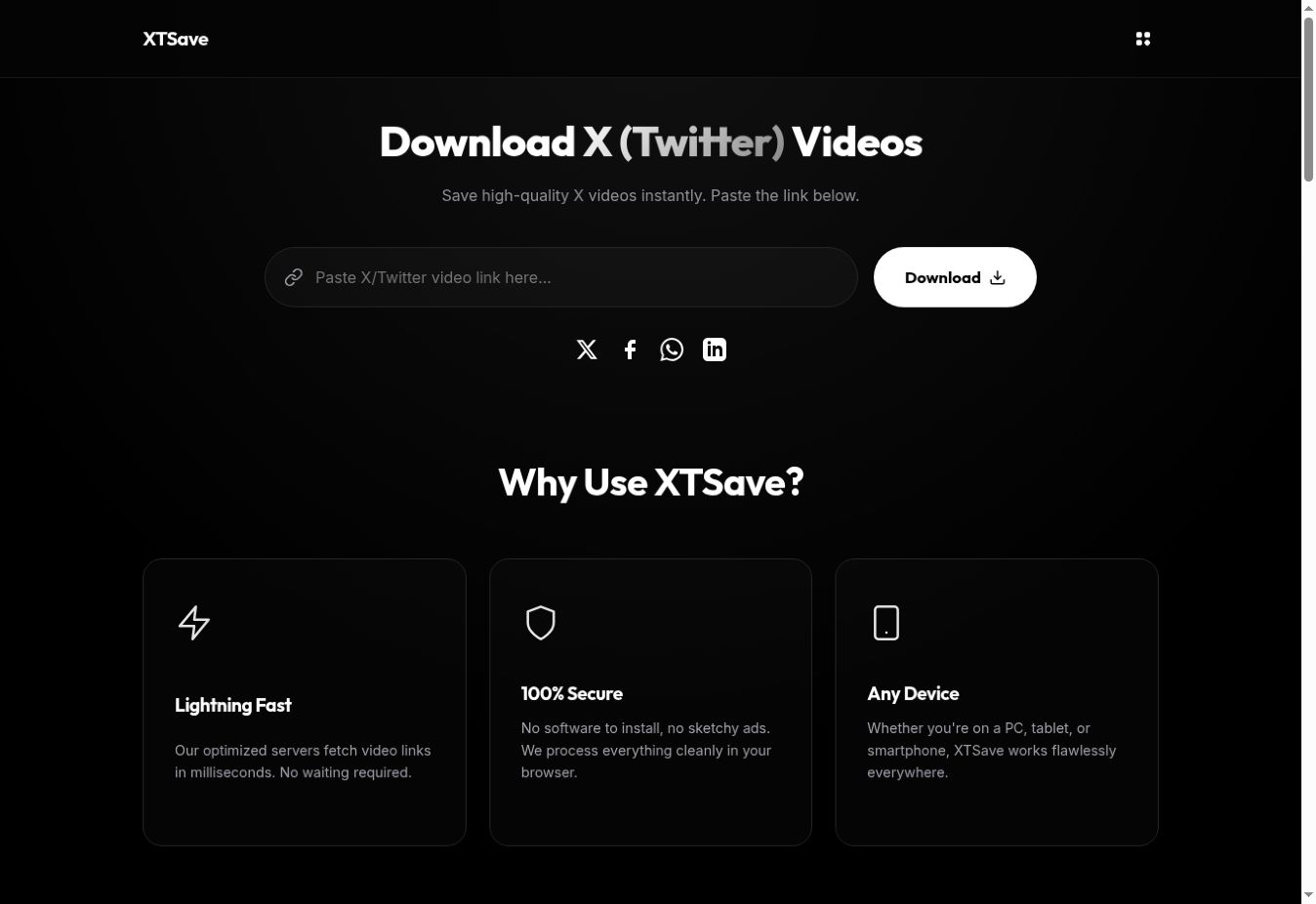
What is XTSave?
XTSave is an X video downloader built around a simple task: turn a link to a public post into a downloadable MP4. It is useful when you want to keep a copy of your own published video, organize approved reference material, or watch a clip without finding the post again.
Start with the specific post that contains the video. A profile address or a search-results page does not identify the clip you want. Keeping the original post link alongside the downloaded file also preserves context that the video alone may not contain.
How to download an X video with XTSave
- Find the original post. Open the public X post and make sure the video plays.
- Copy its link. Use the post’s sharing menu, or copy its address when viewing that individual post.
- Open XTSave. Paste the address into the video URL field and select Download.
- Save and check the MP4. Open the downloaded file and check the beginning, the ending, and the audio.
Build a video archive you can actually use
A folder full of unnamed downloads becomes difficult to search. Give each file a short, consistent name such as launch-demo-2026-09.mp4. In an accompanying note, record the original URL, creator, date saved, and any permission or credit requirements. This makes it easier to understand why you kept the clip months later.
For your own content, preserve the original export from your editing software as well. A copy downloaded from a social platform is useful for reference, but should not replace your highest-quality master. Keep finished exports separate from project files and downloaded references.
On a phone, check your browser’s download list if the video does not appear in the photo gallery. A successful file download and a gallery import are separate actions. Open the saved file first, then use your device’s supported sharing or saving options if you want it in another app.
Troubleshooting X video downloads
The link does not work: reopen the original post, confirm that it still exists, and copy its address again. XTSave describes support for public posts; private content is outside that scope. If the source itself is unavailable, repeatedly submitting its link will not restore it.
The video looks soft: inspect the actual saved file rather than a small preview. The available source limits the quality. Renaming a file or making its display larger cannot create detail that was absent from the video.
You cannot find the download: check the browser’s download history and the chosen destination folder. Avoid starting several identical downloads before confirming whether the first one completed.
Frequently asked questions
Does XTSave require a desktop app?
The published workflow uses a browser and a post link. You can begin on the website without installing a separate video editor.
Can I save a private X video?
XTSave’s documentation limits the service to publicly accessible posts. Use the original creator’s authorized sharing method for content that is not public.
Can I republish the downloaded clip?
A working download is not permission to reuse someone else’s work. Keep your archive focused on material you own or are authorized to use, and retain the original attribution.
Try XTSave for your next task.
Open XTSave ↗Product details and screenshot checked against XTSave’s official page on September 22, 2026. This guide is part of Moor’s own tool collection, not an independent ranking or a performance benchmark. The 2027 edition is a planning collection; features may change.