TikTok video downloader: save videos, audio, and covers with TikOsa
A practical TikOsa guide to TikTok video downloads, MP3 audio, cover images, file organization, and common download problems.
TikOsa at a glance
Use it to: save TikTok media.
- Input
- TikTok post URL
- Output
- Available video, MP3 audio, or cover image
Available outputs depend on the source post.
Jump to the steps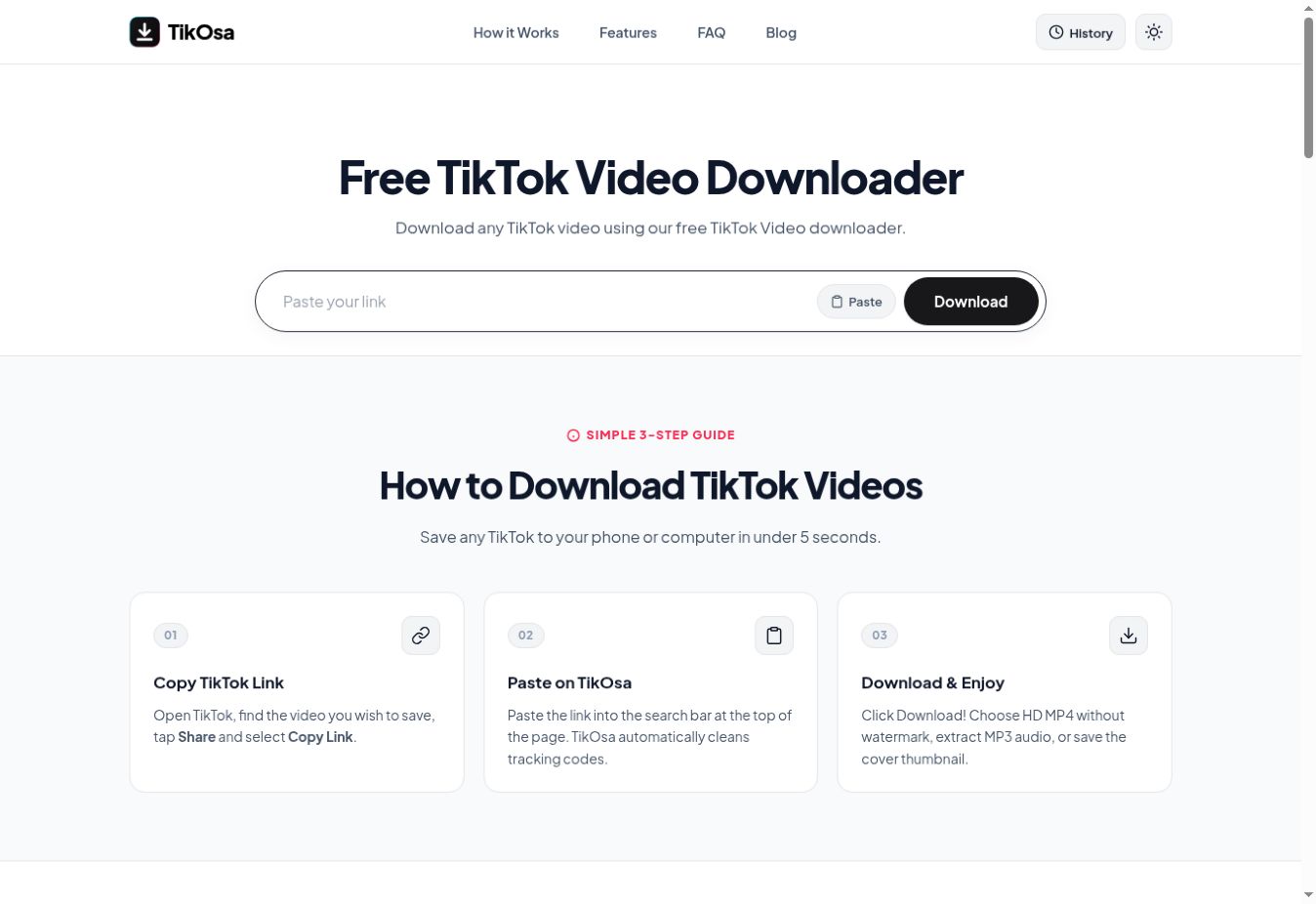
What is TikOsa used for?
TikOsa is a browser-based TikTok video downloader. Its interface presents options for video without a watermark, MP3 audio, and a cover image. These outputs serve different jobs: a video preserves a clip, an audio file isolates listening material, and a cover helps identify a post visually.
Choose the output before you download. If you are organizing your own published content, a video and its cover may be useful together. If you only need an approved voice recording for reference, a separate audio file may be easier to manage.
How to download a TikTok video
- Open the source post. Confirm that it is the clip you intend to save and that you have permission for your planned use.
- Copy the video link. Use TikTok’s share control to copy a link to the individual post.
- Paste into TikOsa. Open the website, enter the link, and select Download.
- Choose the available output. Pick video, MP3 audio, or a cover as appropriate, then check the file after it finishes.
Organize video, audio, and cover files together
Use a shared filename stem for assets from the same post. For example, studio-tour-video.mp4, studio-tour-audio.mp3, and studio-tour-cover.jpg are easier to identify than three unrelated automatic filenames. Keep a text note with the original post URL and any credits that need to travel with the assets.
Do not assume that a downloaded version is your original production master. For your own videos, retain the source footage and editing project separately. They are the right starting point if you later need to change captions, reframe the shot, or export a different aspect ratio.
A watermark-free file also needs context. It may be visually convenient, but removing platform branding does not change who created the work. When sharing authorized material, preserve the agreed creator credit in the destination post or project.
For cover images that need consistent dimensions, follow the batch image resizing guide. Resize a copy and inspect the result before replacing anything in your project.
Fix common TikTok download problems
No result: check that the copied link points to a post rather than a creator profile. Open it directly to verify that the content is still available. A deleted or restricted source can prevent a downloader from retrieving it.
The saved file is not in your gallery: look in the browser’s downloads first. File storage and photo-library storage are not always the same place.
The result is lower quality than expected: compare the actual file with the source. An “HD” label cannot recover detail that was never available. Save a complete file before judging it from a preview.
Frequently asked questions
Can TikOsa download audio separately?
The published interface includes an MP3 audio option. Choose it when an audio file is the output you need, and verify playback after saving.
Do I need an extension?
TikOsa’s advertised workflow runs on its website. You do not need to install the separate TikTok Unfollow extension to use the downloader.
Will every TikTok link work?
No downloader can promise that every source remains accessible. Availability, restrictions, and changes to the source platform can affect individual links.
Try TikOsa for your next task.
Open TikOsa ↗Product details and screenshot checked against TikOsa’s official page on September 22, 2026. This guide is part of Moor’s own tool collection, not an independent ranking or a performance benchmark. The 2027 edition is a planning collection; features may change.